AI-Powered Coding: How to Write Better Code 10x Faster
I used to spend hours writing functions that AI-powered coding can generate in seconds.
That's not an exaggeration. That's the reality of AI-powered coding today.
Let me show you how AI-powered coding works and how to use it to write better code 10x faster.
What Is AI-Powered Coding?
Note
AI-powered coding uses artificial intelligence to help you write code faster and better.
It's like having a senior developer sitting next to you, suggesting code as you type, catching bugs before you commit, and writing tests automatically.
The best part? AI-powered coding learns from millions of code repositories, so it knows best practices, common patterns, and how to avoid mistakes.
How AI-Powered Coding Works
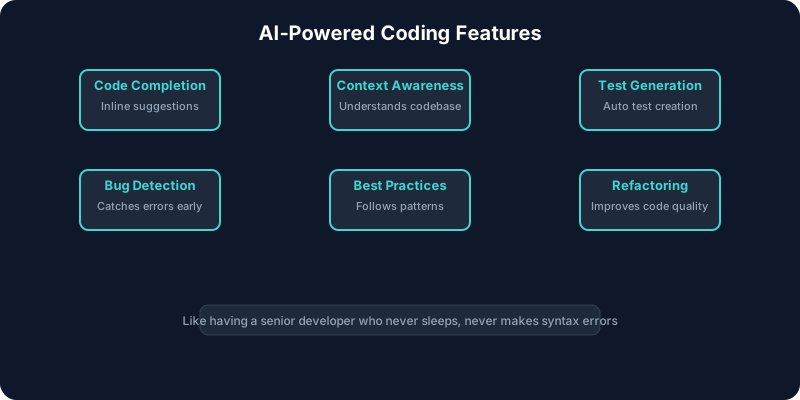
Here's the process:
1. You start typing or describe what you want
2. AI analyzes your codebase and context
3. AI suggests code that fits your style and architecture
4. You review and accept or modify
5. AI learns from your choices for next time
It's that simple. And it's getting smarter every day.
Real Examples of AI-Powered Coding
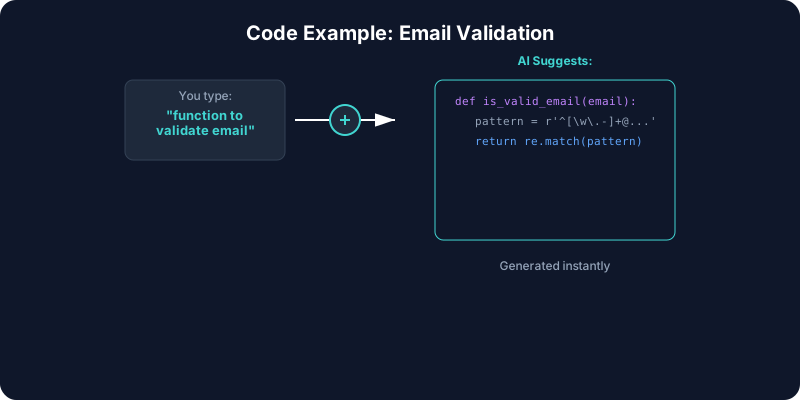
Let me show you what AI-powered coding actually does:
Example 1: Function Generation
You type: "function to validate email"
AI-powered coding suggests:
function validateEmail(email) {
  const emailRegex = /^[^s@]+@[^s@]+.[^s@]+$/;
  return emailRegex.test(email);
}
Complete with regex, error handling, and best practices.
Example 2: API Endpoint
You describe: "REST endpoint for user registration with validation"
AI-powered coding generates:
app.post('/api/users', async (req, res) => {
  try {
    const { email, password } = req.body;

    // Validation
    if (!email || !password) {
      return res.status(400).json({ error: 'Email and password required' });
    }

    if (!validateEmail(email)) {
      return res.status(400).json({ error: 'Invalid email format' });
    }

    // Hash password
    const hashedPassword = await bcrypt.hash(password, 10);

    // Create user
    const user = await User.create({ email, password: hashedPassword });

    res.status(201).json({ id: user.id, email: user.email });
  } catch (error) {
    res.status(500).json({ error: 'Internal server error' });
  }
});
Complete endpoint with validation, security, and error handling.
Example 3: Test Generation
You select a function
AI-powered coding generates:
describe('validateEmail', () => {
  it('should return true for valid email', () => {
    expect(validateEmail('test@example.com')).toBe(true);
  });

  it('should return false for invalid email', () => {
    expect(validateEmail('invalid')).toBe(false);
  });

  it('should return false for email without domain', () => {
    expect(validateEmail('test@')).toBe(false);
  });
});
Comprehensive test coverage automatically.
Benefits of AI-Powered Coding
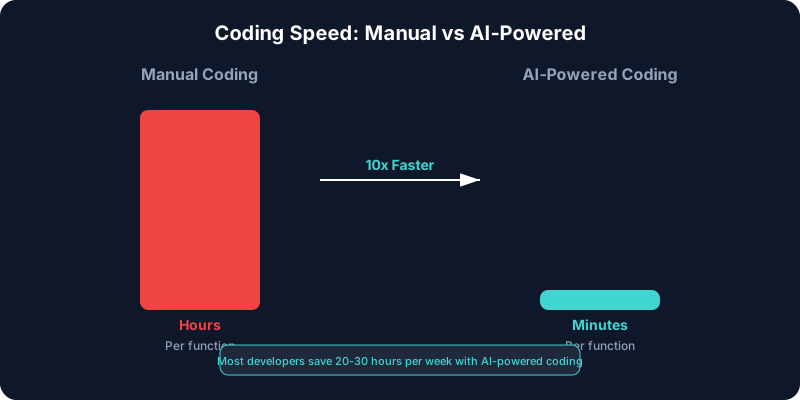
Here's what AI-powered coding delivers:
Speed
Write code 10x faster. What took hours now takes minutes.
Quality
AI-powered coding follows best practices automatically. Fewer bugs. Better code.
Learning
See how experienced developers solve problems. Learn patterns as you code.
Consistency
Every function follows the same patterns. No more inconsistent code styles.
Focus
Spend time on architecture and complex problems, not boilerplate.
How to Get Started with AI-Powered Coding
Here's your roadmap:
Step 1: Choose a Tool
Pick an AI-powered coding assistant:
- GitHub Copilot - Most popular, great integration
- Codeium - Free alternative
- Tabnine - Privacy-focused
- BuildCycle - Complete platform
Step 2: Install and Configure
Install the tool in your IDE. Configure it to match your coding style.
Step 3: Start Small
Use AI-powered coding for simple functions first. Get comfortable with it.
Step 4: Learn the Patterns
See what prompts work best. Learn how to get better suggestions.
Step 5: Scale Up
As you get comfortable, use AI-powered coding for more complex tasks.
Best Practices for AI-Powered Coding
Here's how to maximize your results:
1. Write Clear Comments
AI-powered coding uses comments to understand what you want. Be specific.
2. Provide Context
The more context you give, the better the suggestions from AI-powered coding.
3. Review Everything
Always review AI-powered coding suggestions before accepting them.
4. Iterate
Use AI-powered coding suggestions as a starting point, then refine.
5. Learn from Suggestions
Pay attention to patterns AI-powered coding suggests. Learn from them.
Common Mistakes with AI-Powered Coding
Here's what to avoid:
Mistake 1: Accepting Everything
Don't blindly accept AI-powered coding suggestions. Review them first.
Mistake 2: Not Providing Context
AI-powered coding needs context to give good suggestions. Provide it.
Mistake 3: Ignoring Best Practices
AI-powered coding suggests best practices. Don't ignore them.
Mistake 4: Over-Reliance
AI-powered coding is a tool, not a replacement for understanding code.
Mistake 5: Not Customizing
Customize AI-powered coding tools to match your team's standards.
The ROI of AI-Powered Coding
Let me break down the numbers:
Time Savings
Most developers save 20-30 hours per week with AI-powered coding.
At $100/hour, that's $2,000-$3,000 per week per developer.
Quality Improvements
AI-powered coding catches bugs early, reducing production issues by 40-60%.
Faster Shipping
Teams ship features 3-5x faster with AI-powered coding.
Developer Satisfaction
Developers enjoy their work more when they focus on interesting problems.
AI-Powered Coding vs. Traditional Coding
Here's the difference:
Traditional Coding
- Write every line manually
- Look up documentation constantly
- Debug for hours
- Write tests manually
- Review code manually
AI-Powered Coding
- Describe what you want
- Get suggestions instantly
- Catch bugs automatically
- Generate tests automatically
- Get review suggestions
The difference is night and day.
Future of AI-Powered Coding
Here's where AI-powered coding is heading:
Better Understanding
AI-powered coding will understand your entire codebase, not just the current file.
Smarter Suggestions
AI-powered coding will suggest architectural improvements, not just code snippets.
More Integration
AI-powered coding will integrate deeper into your workflow.
Lower Costs
As AI-powered coding improves, costs will decrease.
Better Privacy
More AI-powered coding tools will offer on-premise options.
My Recommendation
If you're not using AI-powered coding yet, you're already behind.
The developers using it are shipping faster, writing better code, and enjoying their work more.
AI-powered coding isn't replacing developers. It's making them 10x more productive.
Start with one tool. See the impact. Then expand.
That's how you win with AI-powered coding.